
系統提供設定property的OrderBy屬性來達到在清單一覽表中載入時,順序排序欄位的目的。
Tag: Aras Innovator
-
Aras Innovator – Parallel Workflow Activity 平行簽核流程
Aras Innovator可以透過Activity的Wait for All Inputs功能,搭配Auto Activity和Default Path設定來實現多關卡的平行簽核流程。
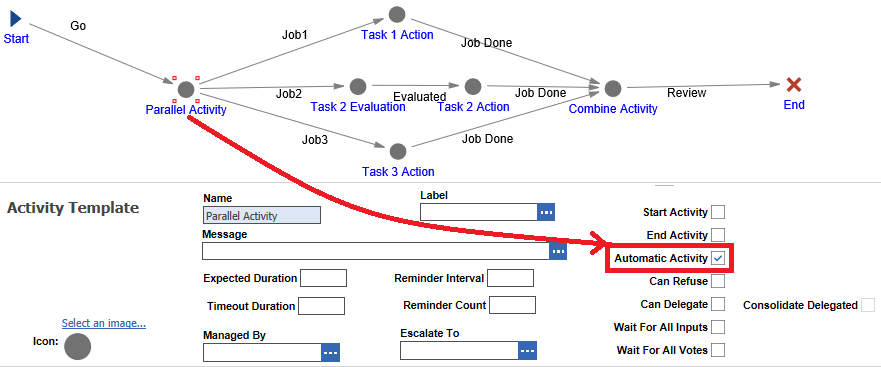

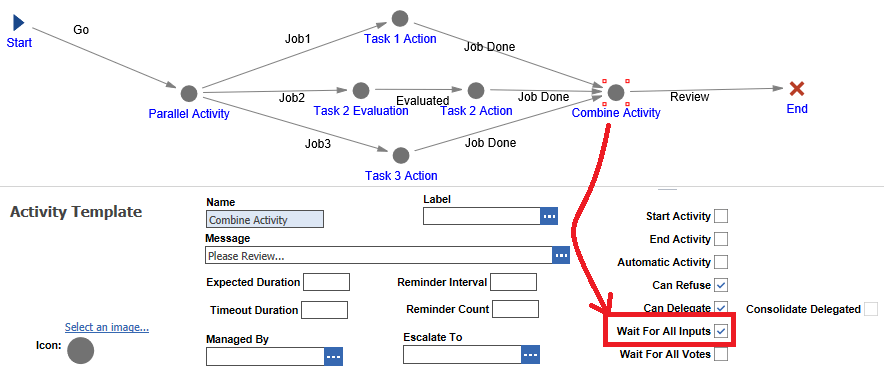
-
Aras Innovator – Export Excel Issue 匯出的Excel無法開啟
Aras Innovaor 11 SP5, SP12 (可能是所有版本但無法肯定), 匯出的.xls Excel檔無法使用LibreOffice 6.x開啟 (General input/output error).
-

Aras Innovator – Project – Deliverable
由於Aras Innovator 11.0 SP12版本的Poly Item(可為任意ItemType的泛用項目)不支援File ItemType,故Project的Deliverable產出項目必須為Document等系統內的資料,而不能直接以檔案的形式上傳之。
-

Aras Innovator – Project – Projects
Aras Innovator Project 可透過範本(亦可不要)來建立Forward向前或是Backward向後的專案,並自動依據WBS第1階的Element項目拆分Phase階段。
-

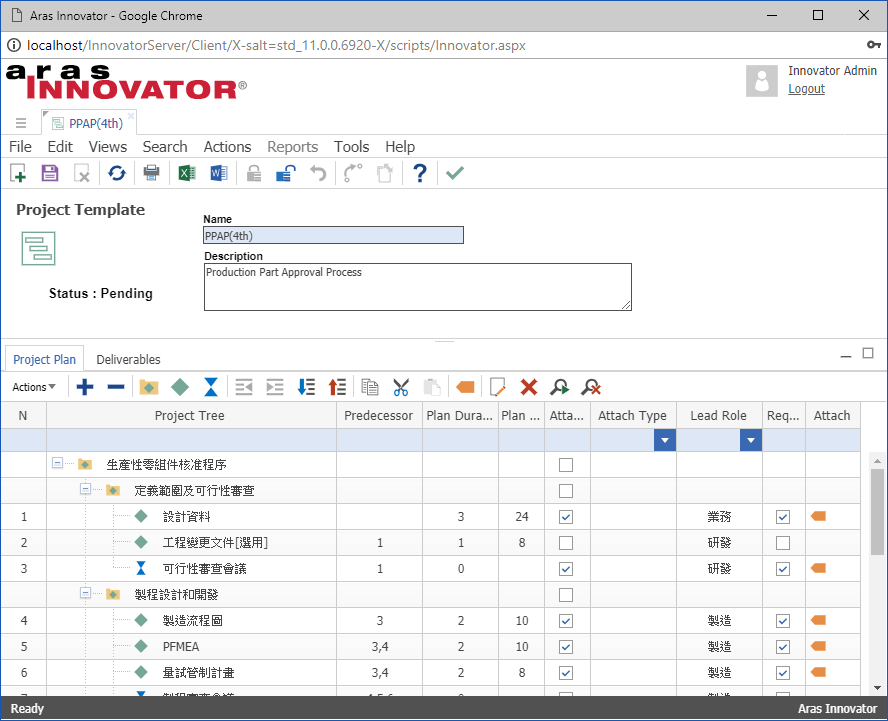
Aras Innovator-Project-簡介
Aras Innovator為一基於CMII(Model for Configuration Management)的免費(部分企業功能需要付費訂閱) Product Life-cycle Management 產品生命週期管理系統,其內含的專案管理模組最大的特點便是與產品料件相互結合,讓管理者易於掌握產品料件的開發歷程。
Aras Innovator Project的功能組件包含Programs、Projects、Project Templates等3個項目。
-
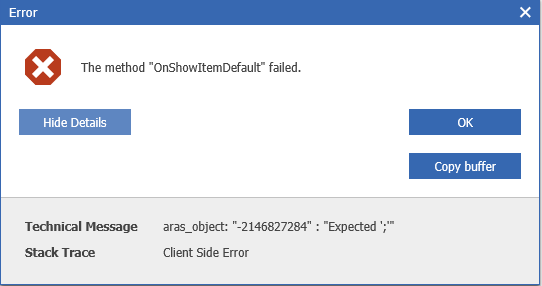
Aras Innovator-Edge Not Support Error
目前測試的Aras Innovator 11.0 SP12版本,使用Microsoft Edge瀏覽器瀏覽項目(ItemType)時,會出現「The method “OnShowItemDefault” failed.」錯誤訊息。
該問題初步判定要透過修改Method: OnShowItemDefault來解決。
-

Aras Innovator – Project – Corporate Time Zone 設定
Aras Innovator為跨國跨時區的系統平台,故採用UTC世界協調時間做為系統的時區。而在project專案模組的運作上,要有一個分散在不同時區的任務執行人共同遵循且易於專案時程安排的時間基準,故需先設定好corporate time zone企業時區,以利接下來專案時程的安排和進行。
 Brassai Kao’s Tech Weave