
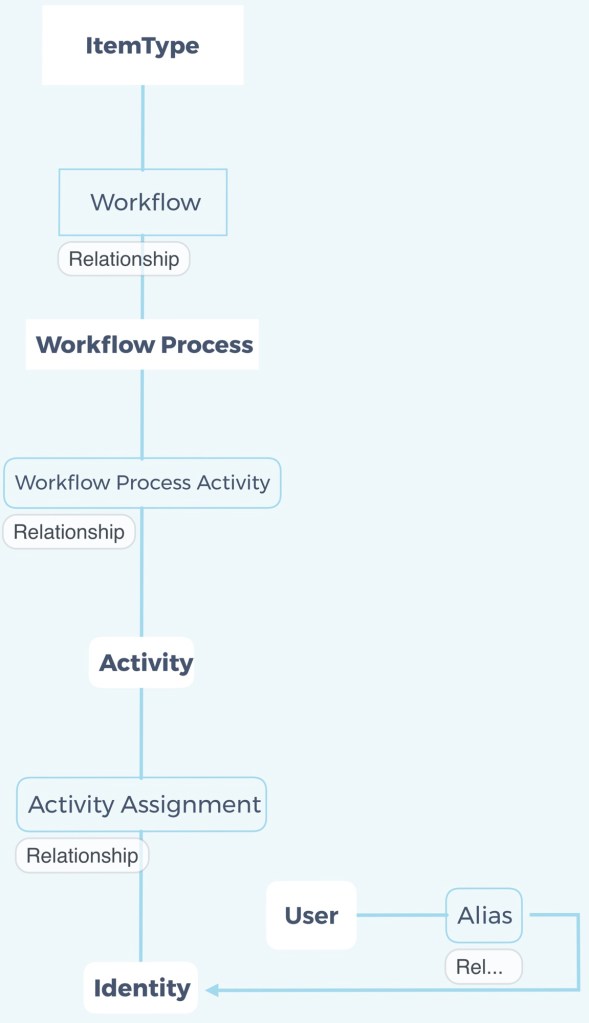
ItemType—>Workflow—>Workflow Process—>Workflow Process Activity—>Activity—>Activity Assignment—>Identity
ItemType—>Workflow—>Workflow Process—>Workflow Process Activity—>Activity—>Activity Assignment—>Identity
在 activity 的 on activate server event 建立對應的 server side method。該 method 的思路是從Activity Id 一路找到 ItemType 中目標簽核人員 (Identity) 的 property,再以此新增 Activity Assignment 到當前的 Activity。
/*
This method used for activity's on activate event.
*/

// Target itemtype, property
const string itemName = "Test ItemType";
const string propertyName = "pm_id";

// Target assignment parameters
const bool assignRequired = false;
const bool assignAllMember = true;
const int assignVoteWeight = 100;

Innovator inn = this.getInnovator();
string actId = this.getID();
string aidId = String.Empty;

// Get assign identity
Item itemType = inn.newItem(itemName, "get");
Item wflItem = itemType.createRelationship("Workflow", "get");
Item wpcItem = wflItem.createRelatedItem("Workflow Process", "get");
Item wpaItem = wpcItem.createRelationship("Workflow Process Activity", "get");
wpaItem.setProperty("related_id", actId);
itemType = itemType.apply();
aidId = itemType.getProperty(propertyName);
if(aidId == null) {
return inn.newError("Could not get assignment identity!");
}

// Create assignment to activity (need Aras PLM permission)
Aras.Server.Security.Identity plmIdentity = Aras.Server.Security.Identity.GetByName("Aras PLM");

bool permissionWasSet = Aras.Server.Security.Permission.GrantIdentity(plmIdentity);
try {
// Make sure assigned identity is not exist in activity
Item assItem = inn.newItem("Activity Assignment", "get");
assItem.setProperty("source_id", actId);
assItem.setProperty("related_id", aidId);
bool noExistIdentity = assItem.apply().getItemCount() == 0;
if(noExistIdentity) {
// Add
assItem.setAction("add");
assItem.setProperty("is_required", assignRequired ? "1" : "0");
assItem.setProperty("for_all_members", assignAllMember? "1" : "0");
assItem.setProperty("voting_weight", assignVoteWeight.ToString());
assItem.apply();
}
}
finally {
if (permissionWasSet) {
Aras.Server.Security.Permissions.RevokeIdentity(plmIdentity);
}
}

return this;
從建置電子簽核單據的角度,說明Itemtype、Lifecycle 、Workflow…等等項目之間的關係。

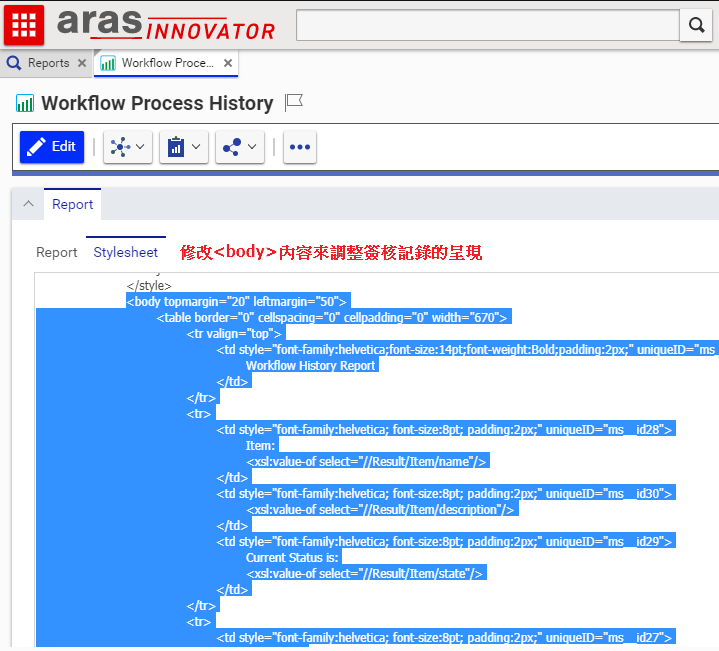
系統原本的流程簽核畫面已經很完善了,但組織仍可依據需要,增加或透過程式有條件的遮蔽欄位。
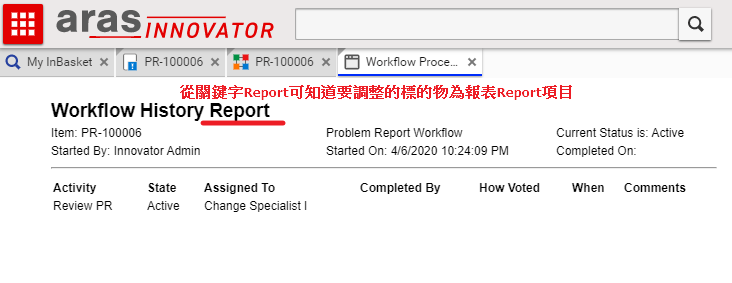
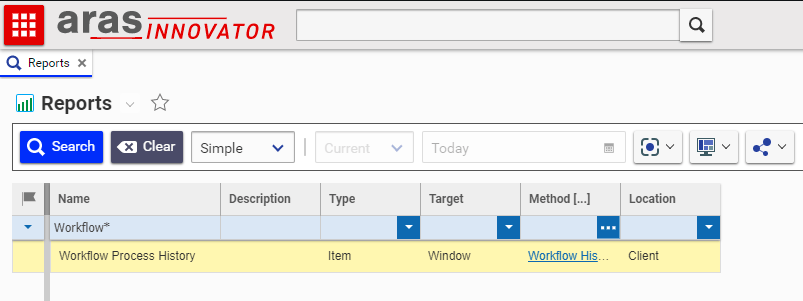
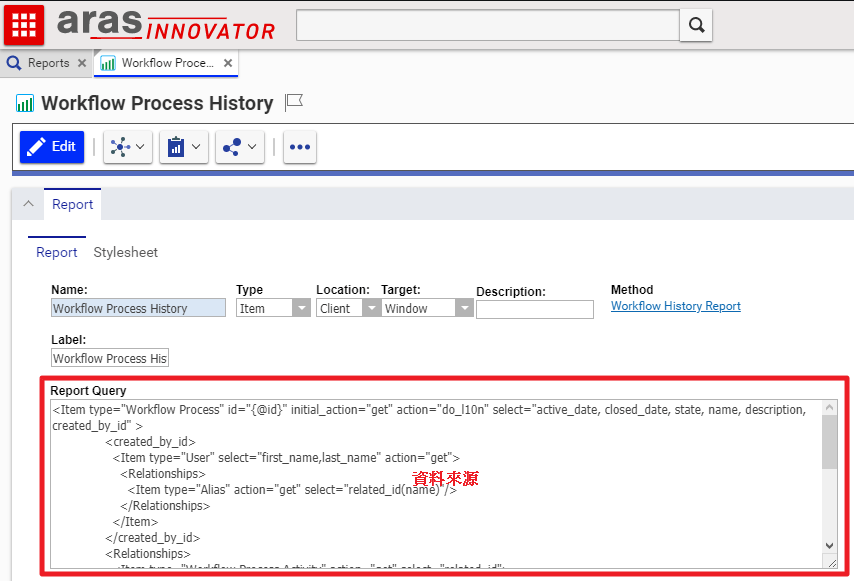
請編輯OAuthServer的設定檔OAuth.config,參考預設參數將Innovator的服務網址新增於<redirectUris>和<postLogoutRedirectUris>,之後重啟OAuthServer以生效之。
(如果服務網址不在該設定檔,登入頁面會出現 redirectUri … 的錯誤且無法輸入登入資訊)

Aras Innovator 內建的 Sequence 欄位,只能產生固定前置碼的表單單號。如需產生包含年月的前置碼,且順序號還要隨年月進行重置,可參考以下方式來實現:
SQL Server 實體和其掛載的資料庫,都有個別的帳號管理清單。如果掛載的資料庫是在該SQL Server建置的話,資料庫的帳號和SQL Server實體的帳號預設情況下便會自動建立對應。
以Aras Innovator系統為例,由於資料庫的建立預設是用Innovator而不是dbo,因此在做備份資料庫還原時,就必須處理。
Aras Innovator 存取外部資料庫或系統的方式,大致分成資料匯入系統和透過第三方API兩種:
 Brassai Kao’s Tech Weave