
import 'package:ffmpeg_kit_flutter/ffmpeg_kit.dart';
import 'package:ffmpeg_kit_flutter/return_code.dart';

/// 透過 FFmpeg 後處理對聲音進行降噪音
/// 使用內建的 afftdn (目前版本無法附加額外參數)
Future<void> audioNoiseCanceling(String inputFilePath, String outputFilePath)async  {
  // FFmpeg command to remove noise using the 'afftdn' filter
  String command = '-i $inputFilePath -af afftdn $outputFilePath';

  // 檢查檔案是否已經存在,若存在則刪除
  final outputFile = File(outputFilePath);
  if (await outputFile.exists()) {
    try {
      await outputFile.delete();
      print('Existing file deleted: $outputFilePath');
    } catch (e) {
      print('Failed to delete existing file: $e');
    }
  }
Category: Tech
IT Technology, 3C, AI
-
Flutter – 透過 FFmpeg 為聲音降噪
-
Flutter – BLE Scanning Page
2024/08/18 使用當前最新版 flutter_blue_plus (1.32.12) 寫的無IDE建議或警告的藍牙掃描頁面。
import 'dart:async'; import 'package:flutter/foundation.dart'; import 'package:flutter/material.dart'; import 'package:flutter_blue_plus/flutter_blue_plus.dart'; class BLEHomePage extends StatefulWidget { const BLEHomePage({super.key}); @override BLEHomePageState createState() => BLEHomePageState(); } class BLEHomePageState extends State<BLEHomePage> { BluetoothDevice? connectedDevice; List<ScanResult> devicesList = <ScanResult>[]; BluetoothCharacteristic? characteristic; bool isScanning = false; StreamSubscription<List<ScanResult>>? scanSubscription; @override void initState() { super.initState(); startScan(); } void startScan() async { if (isScanning) return; setState(() { isScanning = true; devicesList = []; }); // 啟動掃描,並訂閱掃描結果 (使用 scanResults) scanSubscription?.cancel(); scanSubscription = FlutterBluePlus.scanResults.listen((results) { setState(() { devicesList = results; }); for (ScanResult r in results) { if (r.device.platformName == "AI Glove" && connectedDevice == null) { connectToDevice(r.device); stopScan(); break; } } }, onError: (error) { // 處理掃描錯誤 if (kDebugMode) { print('Error during scan: $error'); } // 在使用 context 之前檢查 mounted if (mounted) { ScaffoldMessenger.of(context).showSnackBar( SnackBar(content: Text('Scanning error: $error')), ); } }); // 啟動掃描 (使用 startScan, without timeout) await FlutterBluePlus.startScan(); // 設定掃描超時 (使用 Timer) Timer(const Duration(seconds: 4), () { stopScan(); }); } void connectToDevice(BluetoothDevice device) async { try { await FlutterBluePlus.stopScan(); await device.connect(); setState(() { connectedDevice = device; isScanning = false; }); List<BluetoothService> services = await device.discoverServices(); for (BluetoothService service in services) { List<BluetoothCharacteristic> characteristics = service.characteristics; for (BluetoothCharacteristic c in characteristics) { if (c.properties.notify) { characteristic = c; await c.setNotifyValue(true); // Use lastValueStream instead of value c.lastValueStream.listen((value) { // Do somethings }); } } } } catch (e) { // 處理連接錯誤 if (kDebugMode) { print('Error connecting to device: $e'); } // 在使用 context 之前檢查 mounted if (mounted) { ScaffoldMessenger.of(context).showSnackBar( SnackBar(content: Text('Connection error: $e')), ); } } } void stopScan() { if (!isScanning) return; FlutterBluePlus.stopScan(); scanSubscription?.cancel(); setState(() { isScanning = false; }); } @override void dispose() { FlutterBluePlus.stopScan(); scanSubscription?.cancel(); super.dispose(); } @override Widget build(BuildContext context) { return Scaffold( appBar: AppBar( title: const Text('BLE'), actions: [ IconButton( icon: const Icon(Icons.refresh), onPressed: isScanning ? null : startScan, ), ], ), body: Center( child: connectedDevice == null ? isScanning ? const CircularProgressIndicator() // 在掃描時顯示進度指示器 : const Text('No devices found. Please try scanning again.') : Text('Connected to ${connectedDevice!.platformName}'), ), floatingActionButton: FloatingActionButton( onPressed: isScanning ? null : startScan, child: const Icon(Icons.refresh), ), ); } } -
Samsung Galaxy A15 – 舊瓶翻新
跟前一代 Samsung Galaxy A14 比起來,最明顯的差別在於 軟體更新多了一年😆
處理器 天璣6100+除了型號名稱和製程減1變6nm外,核心架構跟之前的天璣700一模一樣,記憶體、存儲、電池容量、相機規格也通通都一樣~
老實說,對於入手價低於NT$5000的低階機種,與其著眼於硬體的更替,更讓我在意的是軟體支援。Samsung A系列提供4次的大版本更新(目前是 Android 14,預期能持續更新到 Android 18)和長達5年的安全性更新。
順帶一提,一些高階S系列才有的軟體功能,A系列也不會有,比方說AI物件橡皮擦等等。
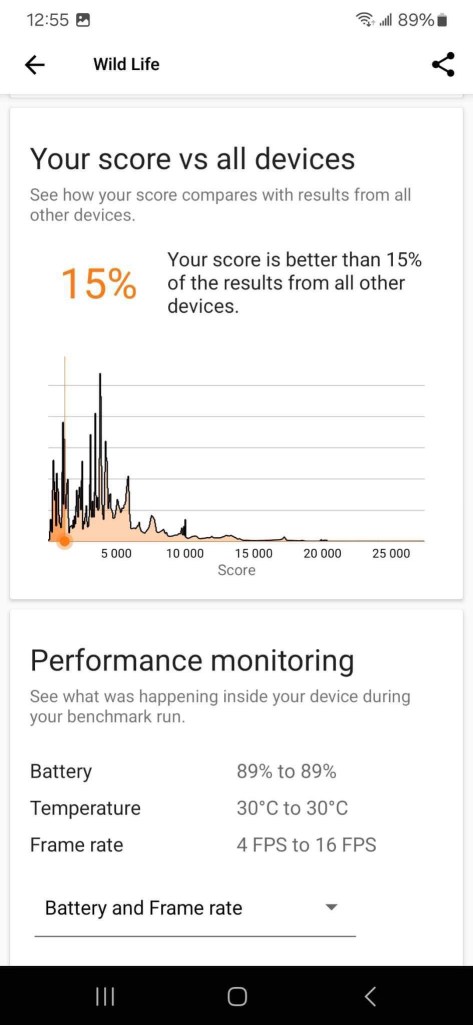
下面是 3D Mark 的 Wild Life 測試結果…就…是一個文書手機的性能😅
拍照測試

5000萬畫素 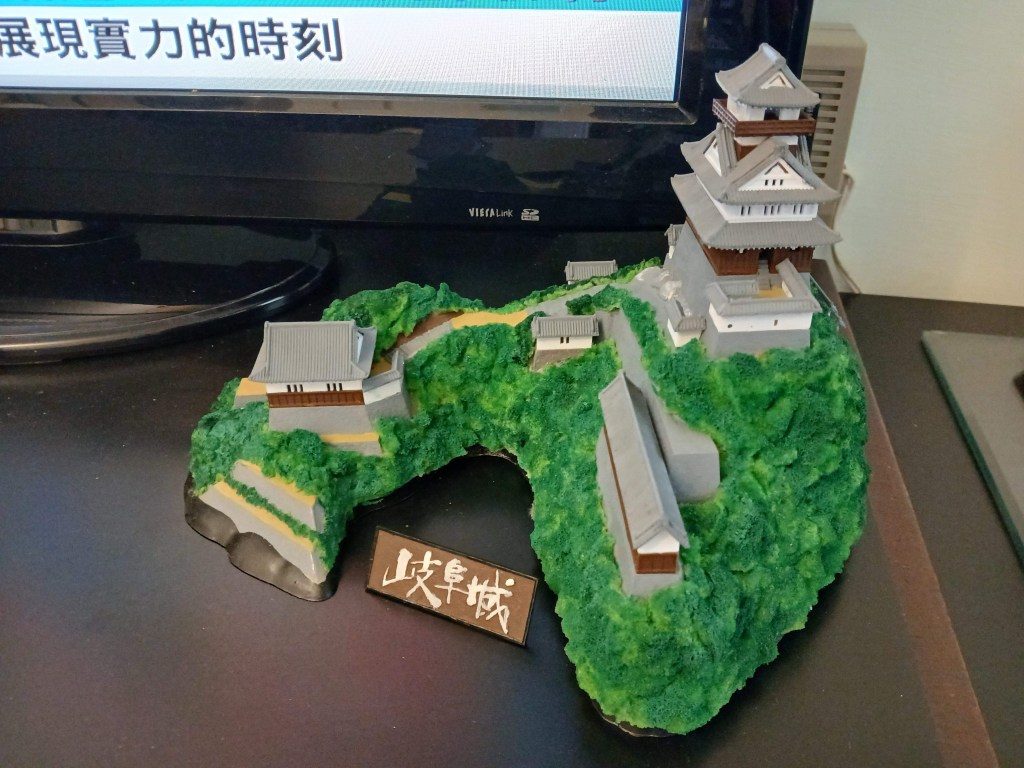
1200萬畫素 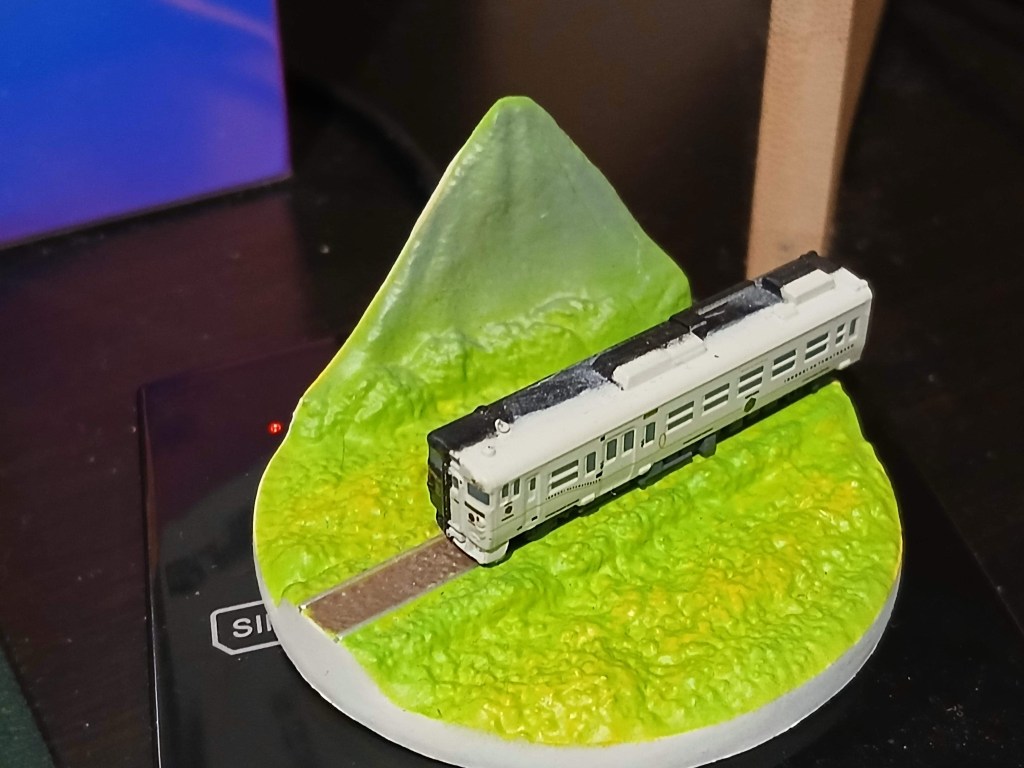
1200萬畫素,2倍變焦 
200萬畫素,微距 -
關於 Looker Studio 使用 Google Sheet 做為資料源以及圖片使用的心得
Google 針對其雲端試算表服務 Google Sheet 提供不少以其做為資料庫的雲端服務,包含 Google Form、App Sheet 、Google Looker Studio 等,甚至也能使用基於 JavaScript 語言的 Apps Script 來開發延伸應用。(Google Sheet 和 Google Form 是以檔案的形式儲存在 Google Drive 雲端硬碟)
上面提到的所有服務,Google 提供個人用戶免費使用。以下是個人使用的心得:
- 在共享資料的權限控管上,上可以設定知道連結人就可以瀏覽,或是針對指定Google用戶來開放,但沒有像 Office 的檔案般可以透過密碼來保護。
- Google Looker Studio 對於圖片資料的呈現有兩種方式,一種是圖片靜態內嵌在頁面中、一種是透過資料來源內的圖片超連結動態呈現。(超連結必須是.png、.jpg…等等圖片副檔名的結尾,不支援其他形式)
- Google Sheet 以及一般的 Excel 試算表,目前沒有有效的手段以 row 為單位截取儲存格中的圖片
- 對應 Google Sheet 的 Apps Script,雖然可以透過 onEdit 等被動的形式來觸發 function 動作,但若 function 有使用到 Google Drive 操作且需要使用者同意的狀況,則需要改採使用者按下按鈕等主動呼叫 function 的形式來觸發。
- 基於以上限制,若一張圖片想要動態同時在 Google Sheet 和 Looker Studio 上面看到,需要將圖片放在知道連結便能取得的網路位置,並透過超連結的形式來取用圖片。
-
使用 AI 後製照片景深 | Magic Studio 的背景模糊功能
Blur the background in the photo to make the photo look more professional. Use AI to select the background and foreground, and select the intensity of blur. — Learn about it here: magicstudio.com/zh/backgroundblur/editor/
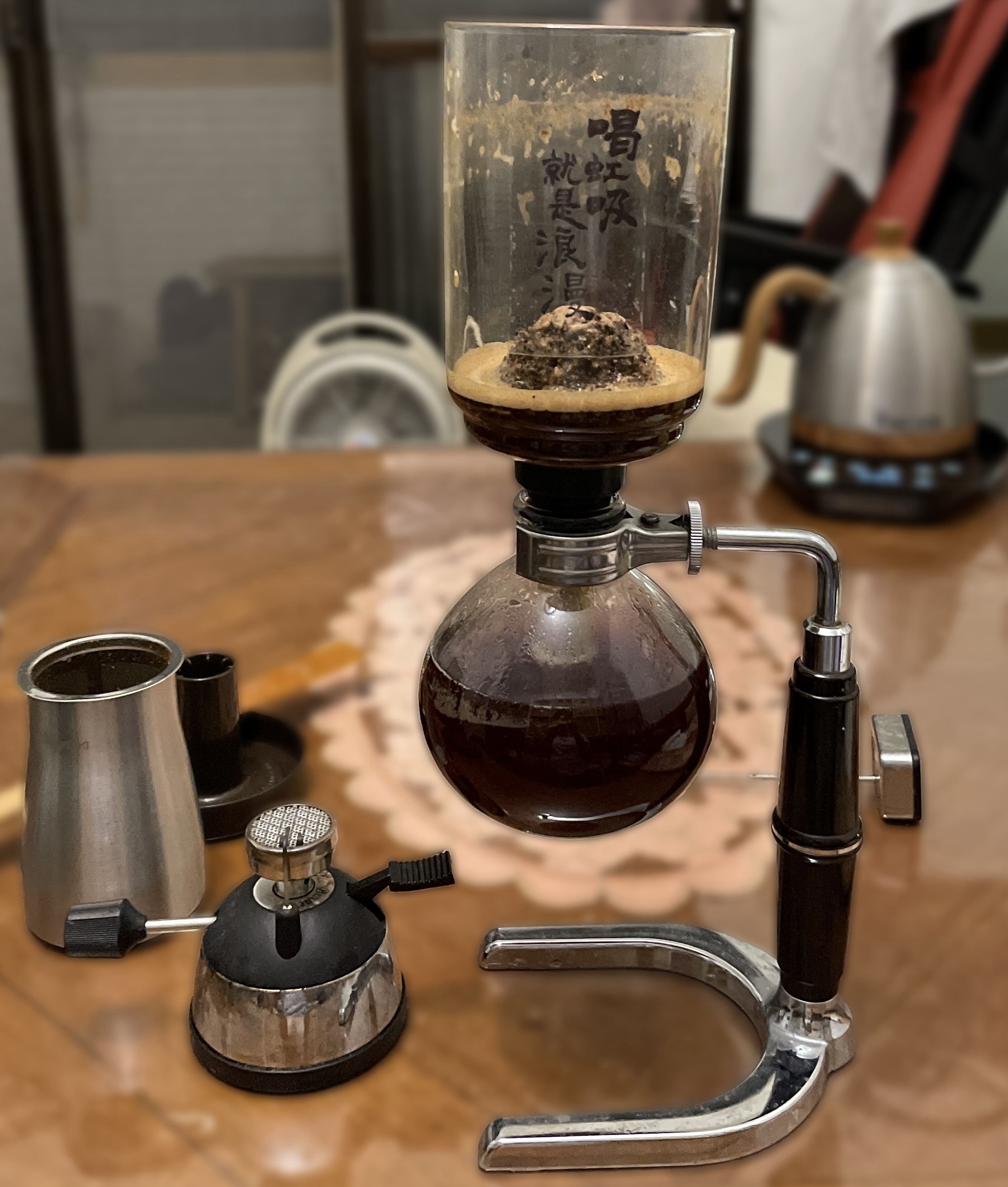
效果還算不錯(細部物件有被破壞到),而且乍看之下也沒有看到浮水印之類的標記。
Before
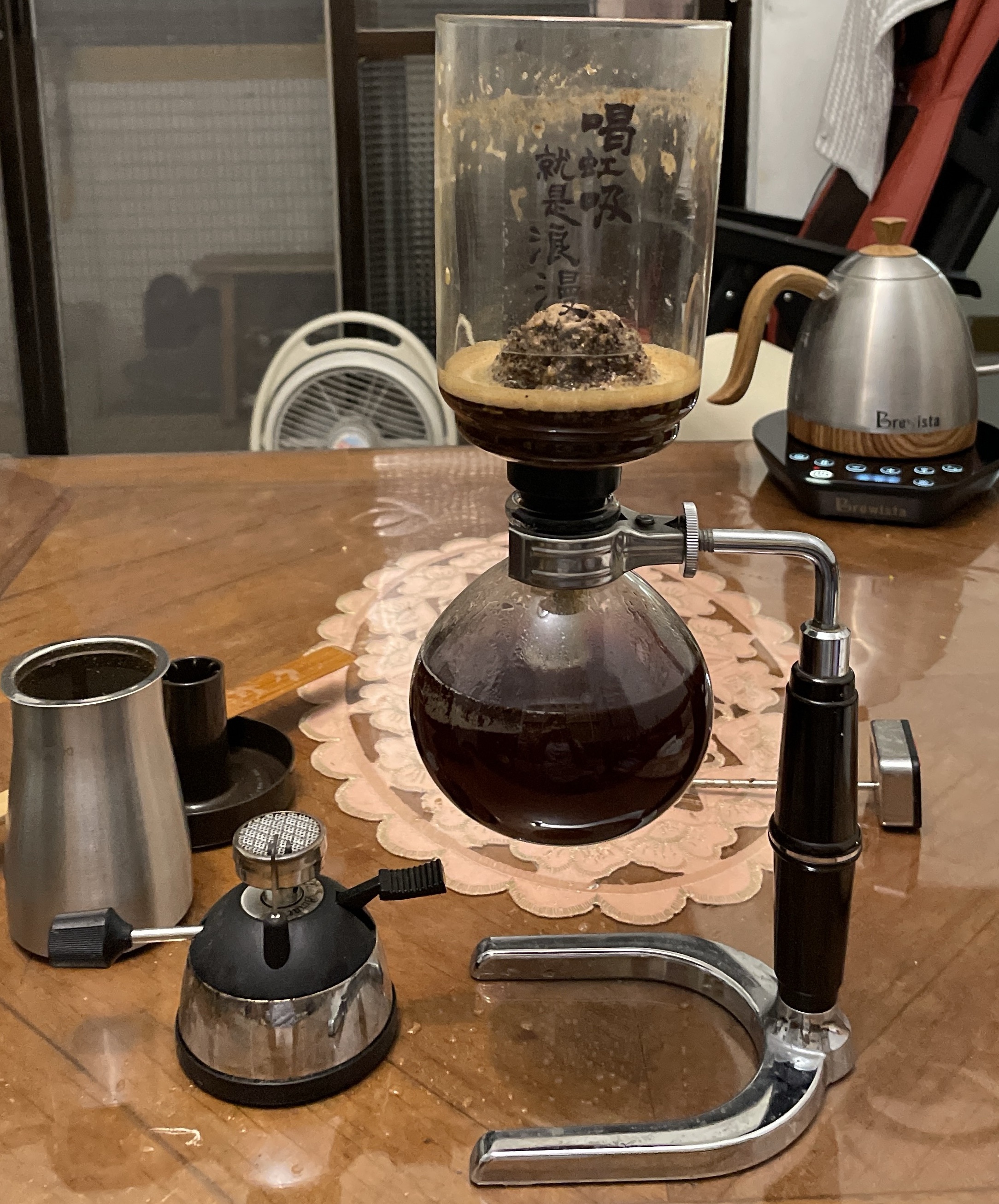
After
-
Introduction to Generative AI | Google Cloud Skills Boost
<p>This is an introductory level microlearning course aimed at explaining what Generative AI is, how it is used, and how it differs from traditional machine learning methods. It also covers Google Tools to help you develop your own Gen AI apps.</p>
— 到這裡瞭解: www.cloudskillsboost.google/paths/118/course_templates/536

 Brassai Kao’s Tech Weave