
結論就是不要吃精煉過的食用油…比如混油、「純」字輩的…等等
推薦發煙點較高的初榨(物理壓榨)260度C的酪梨油和240度C的苦茶油
(家庭炒菜不太容易超過200度C)

參照 YTR妙妙(食品業) 分享的選油心得:
https://www.youtube.com/watch?v=BKONXBFunQ8
目前自己選用的苦茶油

IT Technology, 3C, AI
結論就是不要吃精煉過的食用油…比如混油、「純」字輩的…等等
推薦發煙點較高的初榨(物理壓榨)260度C的酪梨油和240度C的苦茶油
(家庭炒菜不太容易超過200度C)
參照 YTR妙妙(食品業) 分享的選油心得:
https://www.youtube.com/watch?v=BKONXBFunQ8
目前自己選用的苦茶油
日本唐吉軻德來台開店已好幾年了,自己也去逛了不下 n 次。在這推薦幾個覺得值得購買的東西:
各日本品牌的無加糖無調整豆乳
日本豆乳的豆水比約是台灣開架豆漿的2到3倍,且濃郁又沒有豆腥味,非常好喝,連不喝無糖豆漿的我都超級愛😆
(常見品牌有龜甲萬、Marusan 丸三 等,各大網購平台也有賣)


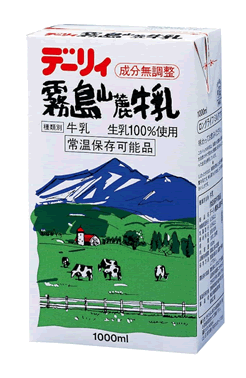
霧島山麓牛乳
雖然是保久乳,但真的好喝,且沒有一般保久乳的怪味👍
日本大蔥
一般超市不易買到,好吃沒有蔥腥味,一定顛覆沒吃過的人嘴。以前一直納悶為什麼會有日本人愛吃蔥火鍋這道料理,結果吃了才知道此蔥非比蔥,保有蔥的美味而不刺激,脆口而不軟爛👍

另外,下面是問 Copilot 得到的答案,僅供參考(我推薦的都沒在這裡面🤣):


最近接觸到一些奇幻文學類的作品,而這些作品大都會有一個稱作哥布林的小嘍囉型的角色。關於哥布林的起源和相關資料整理如下:
哥布林 Goblin (其他替代的用詞: gobelin, gobbelin, gobblin, goblyn, gobling) 這角色普遍有著貪婪、醜陋、低等和暗黑詭譎等負面的形象。而與之相關但相對高等且負面形象較少的則是半獸人 Orc,有的作品甚至將其做為英雄般地看待,而哥布林就顯然不太可能有這樣的形象。
哥布林大約起源於 14 世紀,在歐洲西北部、斯堪的納維亞半島、不列顛群島和美國最為普遍。其詞源可能來源於古法語 gobelin,但也有傳言是來自於德語、希臘語和拉丁語等其他歐洲的語系。但不管起源於何,哥布林在開始就是明顯有著負面的含義。
有的作品會把哥布林描述成數量龐大、滅之不盡的存在,如同位階底層的族群、如同人心的貪婪永無止盡。

下面為常見的專案資料夾結構,不僅限於 Flutter 也可適用於其他程式的開發。由小而大排列順序如下:

使用 FutureBuilder 透過非同步 http 的方式 取用網路上的資源。
main.dart
import 'package:flutter/material.dart';

import 'package:http_client_sample/screens/future_builder_screen.dart';


void main() {

  runApp(const AppEntryPoint());

}


class AppEntryPoint extends StatelessWidget {

  const AppEntryPoint({super.key});


  @override

  Widget build(BuildContext context) {

    return MaterialApp(

      routes: {

        "/remote-data":(context) => const FutureBuilderScreen()

      },

      initialRoute: "/remote-data",

    );

  }

}
screens\future_builder_screen.dart
import 'package:flutter/material.dart';

import 'package:http/http.dart' as http;


class FutureBuilderScreen extends StatelessWidget {

  const FutureBuilderScreen({super.key});


  Future<dynamic> getDataFromRemote() async {

    var url = Uri.parse('https://jsonplaceholder.typicode.com/posts');  // use get method

    var response = await http.get(url);

    return response.body;

  }


  @override

  Widget build(BuildContext context) {

    return FutureBuilder(

      future: getDataFromRemote(),

      initialData: const [],

      builder: (BuildContext context, AsyncSnapshot<dynamic> asyncSnapshot) {

        return Scaffold (

          body: Text(asyncSnapshot.data.toString()),);

      }

    );

  }

}
pubspec.yaml



A Caculator App project for demonstrating Flutter.
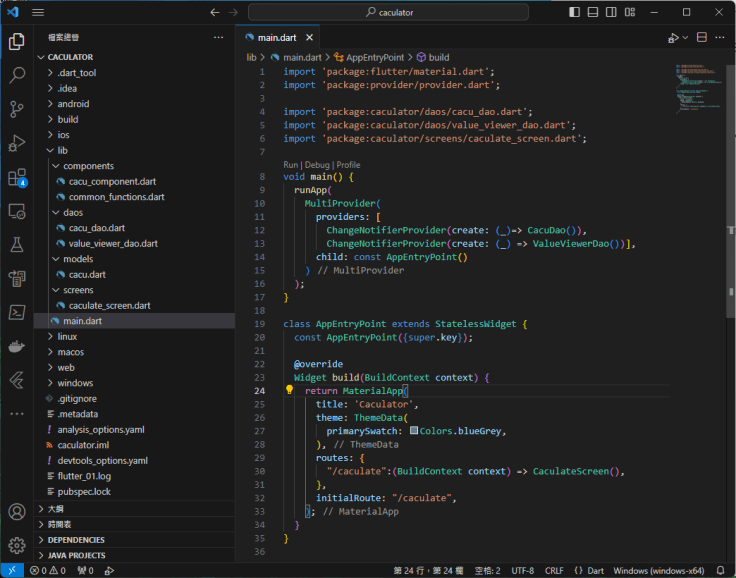
main.dart
import 'package:flutter/material.dart';

import 'package:provider/provider.dart';


import 'package:caculator/daos/cacu_dao.dart';

import 'package:caculator/daos/value_viewer_dao.dart';

import 'package:caculator/screens/caculate_screen.dart';


void main() {

  runApp(

    MultiProvider(

      providers: [

        ChangeNotifierProvider(create: (_)=> CacuDao()),

        ChangeNotifierProvider(create: (_) => ValueViewerDao())],

      child: const AppEntryPoint()

    )

  );

}


class AppEntryPoint extends StatelessWidget {

  const AppEntryPoint({super.key});


  @override

  Widget build(BuildContext context) {

    return MaterialApp(

      title: 'Caculator',

      theme: ThemeData(

        primarySwatch: Colors.blueGrey,

      ),

      routes: {

        "/caculate":(BuildContext context) => CaculateScreen(),

      },

      initialRoute: "/caculate",

    );

  }

}
models\cacu.dart
class Cacu {

    String cacuValue;   // Value for caculate

    CacuType cacuType;  // Caculate type


    Cacu(this.cacuValue, this.cacuType);

}


enum CacuType {

  none,

  addition,

  subtraction,

  multiplication,

  division,

}
daos\cacu_dao.dart
import 'package:flutter/material.dart';


import 'package:caculator/models/cacu.dart';


class CacuDao extends ChangeNotifier {

  List<Cacu> cacuList = [];


  List<Cacu> getCacus() {

    return cacuList;

  }


  /// Insert value for caculate later

  void insertCacu(Cacu cacu) {

    cacuList.add(cacu);


    notifyListeners();

  }


  /// Update caculate type to value

  void clearCacu() {

    cacuList.clear();


    notifyListeners();

  }

}
daos\value_viewer_dao.dart
import 'package:flutter/material.dart';


class ValueViewerDao extends ChangeNotifier {

  double value = 0;


  /// Update caculate type to value

  void updateValue(double value) {

    this.value = value;


    notifyListeners();

  }

}
components\common_functions.dart
import 'package:caculator/models/cacu.dart';


class CommonFunctions {

  static String getCacuSign(CacuType cacuType) {

    switch (cacuType) {

      case CacuType.addition:

        return "+";

      case CacuType.subtraction:

        return "-";

      case CacuType.multiplication:

        return "x";

      case CacuType.division:

        return "÷";

      default:

        return "";

    }

  }

}cacu_component.dartimport 'package:flutter/material.dart';
import 'package:caculator/models/cacu.dart';
import 'package:caculator/components/common_functions.dart';
// ignore: must_be_immutable
class CacuComponent extends StatefulWidget {
Cacu cacu;
CacuComponent(this.cacu, {super.key});
@override
State createState() {
return _CacuComponent();
}
}
class _CacuComponent extends State<CacuComponent> {
@override
Widget build(BuildContext context) {
Widget cacuValueText = Text(
widget.cacu.cacuValue,
);
Widget cacuTypeText = Text(
CommonFunctions.getCacuSign(widget.cacu.cacuType),
);
return Card(
child: ListTile(
title: Row(children: [
cacuValueText,
const SizedBox(width: 10),
cacuTypeText,
]),
),
);
}
}
screens\caculate_screen.dart
import 'dart:async';
import 'package:caculator/components/common_functions.dart';
import 'package:flutter/material.dart';
import 'package:provider/provider.dart';
import 'package:caculator/daos/cacu_dao.dart';
import 'package:caculator/components/cacu_component.dart';
import 'package:caculator/models/cacu.dart';
// ignore: must_be_immutable
class CaculateScreen extends StatefulWidget {
CaculateScreen({super.key});
Cacu currentCacu = Cacu('0', CacuType.none);
@override
State createState() {
return _CaculateScreen();
}
}
class _CaculateScreen extends State<CaculateScreen> {
final ScrollController _scrollController = ScrollController();
@override
Widget build(BuildContext context) {
Timer(const Duration(milliseconds: 500), () => _scrollController.jumpTo(_scrollController.position.maxScrollExtent));
Widget valueViewer = Row(
mainAxisAlignment: MainAxisAlignment.center,
children: [
Container(
width: 250,
margin: const EdgeInsets.all(15.0),
padding: const EdgeInsets.all(3.0),
decoration: BoxDecoration(
border: Border.all(color: Colors.blueAccent)
),
child: Text(
widget.currentCacu.cacuValue,
textAlign: TextAlign.right,
style: const TextStyle(fontSize: 20),),
),
Text(CommonFunctions.getCacuSign(widget.currentCacu.cacuType)),
],
);
Widget keybooards = Column(children: [
Row(
mainAxisAlignment: MainAxisAlignment.center,
children: [
SizedBox(
width: 70.0,
child: OutlinedButton(
child: const Text('AC',
overflow: TextOverflow.clip,
maxLines: 1,
softWrap: false,
),
onPressed: (){
setState(() {
widget.currentCacu = Cacu('0', CacuType.none);
context.read<CacuDao>().clearCacu();
});
},
)
),
const SizedBox(width: 5),
OutlinedButton(
child: const Text('C'),
onPressed: (){
setState(() {
widget.currentCacu = Cacu('0', CacuType.none);
});
},
),
const SizedBox(width: 5),
OutlinedButton(
child: const Text('±'),
onPressed: (){
setState(() {
if(widget.currentCacu.cacuValue[0] == '-'){
widget.currentCacu.cacuValue = widget.currentCacu.cacuValue.substring(1);
}
else {
widget.currentCacu.cacuValue = '-${widget.currentCacu.cacuValue}';
}
});
},
),
const SizedBox(width: 5),
OutlinedButton(
child: const Text('÷'),
onPressed: (){
setState(() {
widget.currentCacu.cacuType = CacuType.division;
});
}
),
]
),
const SizedBox(height: 5),
Row(
mainAxisAlignment: MainAxisAlignment.center,
children: [
OutlinedButton(
child: const Text('7'),
onPressed: (){
setState(() {
String num = '7';
if(widget.currentCacu.cacuType == CacuType.none) {
if(widget.currentCacu.cacuValue == '0') {
widget.currentCacu.cacuValue = num;
} else {
widget.currentCacu.cacuValue = widget.currentCacu.cacuValue + num;
}
}
else {
context.read<CacuDao>().insertCacu(widget.currentCacu);
widget.currentCacu = Cacu(num, CacuType.none);
}
});
}
),
const SizedBox(width: 5),
OutlinedButton(
child: const Text('8'),
onPressed: (){
setState(() {
String num = '8';
if(widget.currentCacu.cacuType == CacuType.none) {
if(widget.currentCacu.cacuValue == '0') {
widget.currentCacu.cacuValue = num;
} else {
widget.currentCacu.cacuValue = widget.currentCacu.cacuValue + num;
}
}
else {
context.read<CacuDao>().insertCacu(widget.currentCacu);
widget.currentCacu = Cacu(num, CacuType.none);
}
});
}
),
const SizedBox(width: 5),
OutlinedButton(
child: const Text('9'),
onPressed: (){
setState(() {
String num = '9';
if(widget.currentCacu.cacuType == CacuType.none) {
if(widget.currentCacu.cacuValue == '0') {
widget.currentCacu.cacuValue = num;
} else {
widget.currentCacu.cacuValue = widget.currentCacu.cacuValue + num;
}
}
else {
context.read<CacuDao>().insertCacu(widget.currentCacu);
widget.currentCacu = Cacu('0', CacuType.none);
}
});
}
),
const SizedBox(width: 10),
OutlinedButton(
child: const Text('x'),
onPressed: (){
setState(() {
widget.currentCacu.cacuType = CacuType.multiplication;
});
}
),
],
),
const SizedBox(height: 5),
Row(
mainAxisAlignment: MainAxisAlignment.center,
children: [
OutlinedButton(
child: const Text('4'),
onPressed: (){
setState(() {
String num = '4';
if(widget.currentCacu.cacuType == CacuType.none) {
if(widget.currentCacu.cacuValue == '0') {
widget.currentCacu.cacuValue = num;
} else {
widget.currentCacu.cacuValue = widget.currentCacu.cacuValue + num;
}
}
else {
context.read<CacuDao>().insertCacu(widget.currentCacu);
widget.currentCacu = Cacu(num, CacuType.none);
}
});
}
),
const SizedBox(width: 5),
OutlinedButton(
child: const Text('5'),
onPressed: (){
setState(() {
String num = '5';
if(widget.currentCacu.cacuType == CacuType.none) {
if(widget.currentCacu.cacuValue == '0') {
widget.currentCacu.cacuValue = num;
} else {
widget.currentCacu.cacuValue = widget.currentCacu.cacuValue + num;
}
}
else {
context.read<CacuDao>().insertCacu(widget.currentCacu);
widget.currentCacu = Cacu(num, CacuType.none);
}
});
}
),
const SizedBox(width: 5),
OutlinedButton(
child: const Text('6'),
onPressed: (){
setState(() {
String num = '6';
if(widget.currentCacu.cacuType == CacuType.none) {
if(widget.currentCacu.cacuValue == '0') {
widget.currentCacu.cacuValue = num;
} else {
widget.currentCacu.cacuValue = widget.currentCacu.cacuValue + num;
}
}
else {
context.read<CacuDao>().insertCacu(widget.currentCacu);
widget.currentCacu = Cacu(num, CacuType.none);
}
});
}
),
const SizedBox(width: 10),
OutlinedButton(
child: const Text('-'),
onPressed: (){
setState(() {
widget.currentCacu.cacuType = CacuType.subtraction;
});
}
),
],
),
const SizedBox(height: 5),
Row(
mainAxisAlignment: MainAxisAlignment.center,
children: [
OutlinedButton(
child: const Text('1'),
onPressed: (){
setState(() {
String num = '1';
if(widget.currentCacu.cacuType == CacuType.none) {
if(widget.currentCacu.cacuValue == '0') {
widget.currentCacu.cacuValue = num;
} else {
widget.currentCacu.cacuValue = widget.currentCacu.cacuValue + num;
}
}
else {
context.read<CacuDao>().insertCacu(widget.currentCacu);
widget.currentCacu = Cacu(num, CacuType.none);
}
});
}
),
const SizedBox(width: 5),
OutlinedButton(
child: const Text('2'),
onPressed: (){
setState(() {
String num = '2';
if(widget.currentCacu.cacuType == CacuType.none) {
if(widget.currentCacu.cacuValue == '0') {
widget.currentCacu.cacuValue = num;
} else {
widget.currentCacu.cacuValue = widget.currentCacu.cacuValue + num;
}
}
else {
context.read<CacuDao>().insertCacu(widget.currentCacu);
widget.currentCacu = Cacu(num, CacuType.none);
}
});
}
),
const SizedBox(width: 5),
OutlinedButton(
child: const Text('3'),
onPressed: (){
setState(() {
String num = '3';
if(widget.currentCacu.cacuType == CacuType.none) {
if(widget.currentCacu.cacuValue == '0') {
widget.currentCacu.cacuValue = num;
} else {
widget.currentCacu.cacuValue = widget.currentCacu.cacuValue + num;
}
}
else {
context.read<CacuDao>().insertCacu(widget.currentCacu);
widget.currentCacu = Cacu(num, CacuType.none);
}
});
}
),
const SizedBox(width: 10),
OutlinedButton(
child: const Text('+'),
onPressed: (){
setState(() {
widget.currentCacu.cacuType = CacuType.addition;
});
}
),
],
),
const SizedBox(height: 5),
Row(
mainAxisAlignment: MainAxisAlignment.center,
children: [
SizedBox(
width: 130.0,
child: OutlinedButton(
child: const Text('0'),
onPressed: (){
setState(() {
String num = '0';
if(widget.currentCacu.cacuType == CacuType.none) {
if(widget.currentCacu.cacuValue != '0' && !widget.currentCacu.cacuValue.contains('.')) {
widget.currentCacu.cacuValue = widget.currentCacu.cacuValue + num;
}
}
else {
context.read<CacuDao>().insertCacu(widget.currentCacu);
widget.currentCacu = Cacu(num, CacuType.none);
}
});
}
),
),
const SizedBox(width: 5),
OutlinedButton(
child: const Text('.'),
onPressed: (){
String num = '.';
if(widget.currentCacu.cacuType == CacuType.none) {
if(!widget.currentCacu.cacuValue.contains('.')) {
widget.currentCacu.cacuValue = widget.currentCacu.cacuValue + num;
}
}
else {
context.read<CacuDao>().insertCacu(widget.currentCacu);
widget.currentCacu = Cacu('0', CacuType.none);
}
}
),
const SizedBox(width: 10),
OutlinedButton(
child: const Text('='),
onPressed: (){
setState(() {
double result = 0;
CacuType lastCacuType = CacuType.none;
List<Cacu> cacus = context.read<CacuDao>().getCacus();
cacus.add(Cacu(widget.currentCacu.cacuValue, CacuType.none));
for (var cacu in cacus) {
switch(lastCacuType) {
case CacuType.division:
result = result / double.parse(cacu.cacuValue);
case CacuType.multiplication:
result = result * double.parse(cacu.cacuValue);
case CacuType.subtraction:
result = result - double.parse(cacu.cacuValue);
case CacuType.addition:
result = result + double.parse(cacu.cacuValue);
default:
result = double.parse(cacu.cacuValue);
}
lastCacuType = cacu.cacuType;
}
widget.currentCacu = Cacu(result.toString(), CacuType.none);
context.read<CacuDao>().clearCacu();
});
}
),
],
),
const SizedBox(height: 5),
]);
return Scaffold(
appBar: AppBar(title: const Text("Caculator"),),
body: Container(
alignment: Alignment.topCenter,
child: Column(
children: [
Expanded(
child: ListView(
controller: _scrollController,
children: [
...context.watch<CacuDao>().getCacus().map((e) => CacuComponent(e)).toList(),
],
),
),
valueViewer,
keybooards,
]
),
),
);
}
}
有時候為了排版,會需要將 ListView 放到 Column 中,但直接放的話雖然程式碼檢查時不會報錯,但實際編譯時會出現類似無法 paint 的錯誤。
其原因是 ListView 的內容項目不固定,導致無法直接放到 Column 底下。解決方法就是在 Column 中放一個能彈性擴展內容的 Expanded,再把 ListView 放到裡面即可。

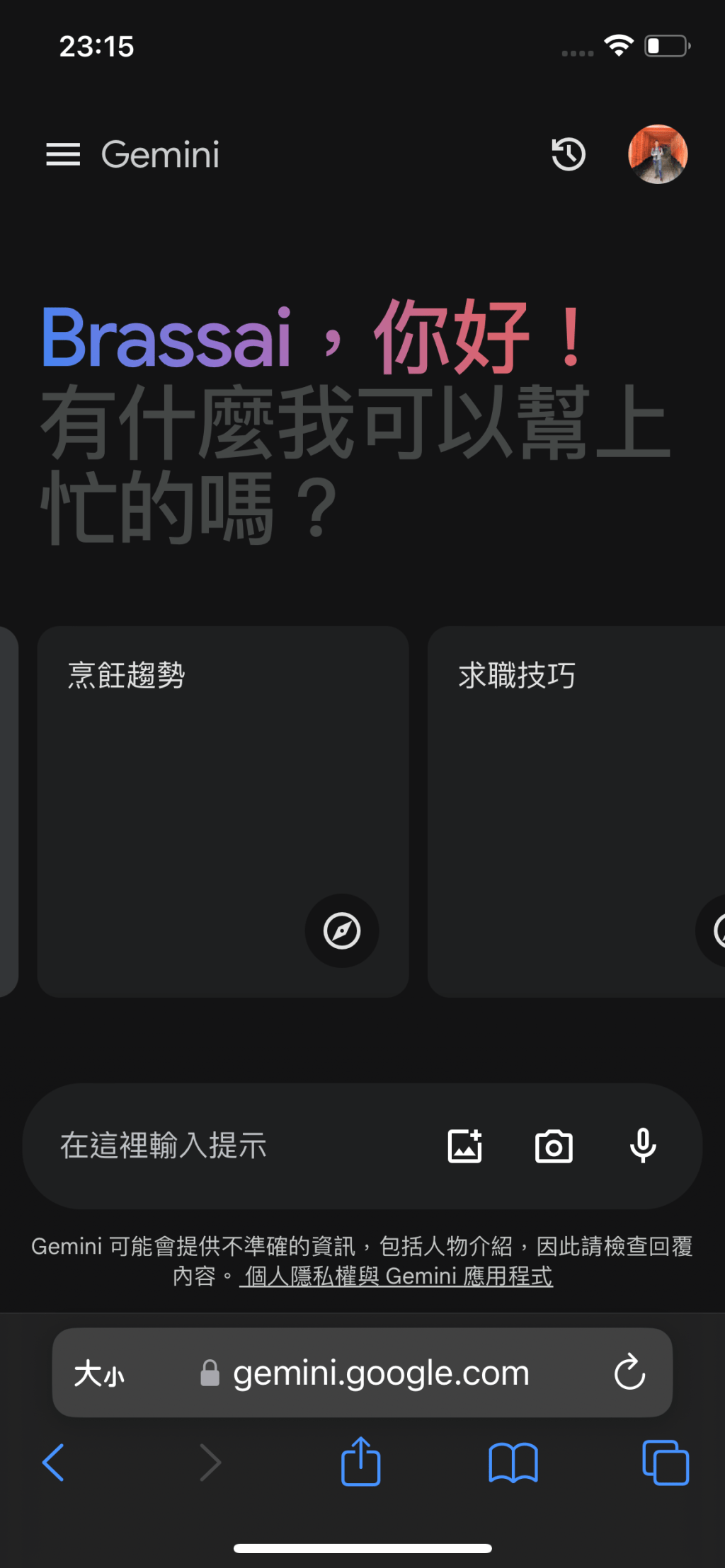
Google Gemini 為 Google 生成式大語言模型 Bard 的升級取代版,初步探究其問答的內容能如同ChatGPT 般人性化。但就用慣了微軟 Copilot (Bing + GPT) 的人來說,Gemini 在沒有整合其引以為傲的 Search 搜索服務以及繪圖技能前,不管是內容的正確性還是日常的實用性,都略顯可惜。
Google Gemini 操作畫面
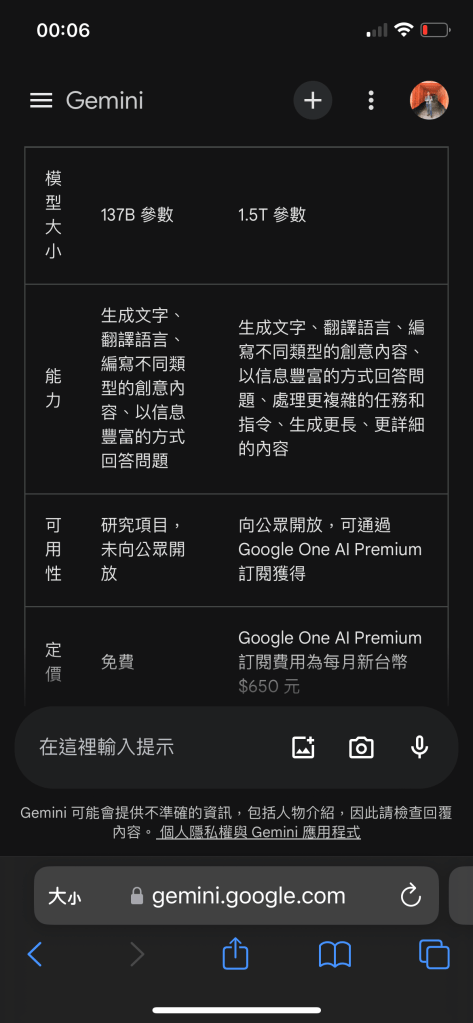
詢問 Google Gemini 得到的 Bard 比較差異,左邊為 Bard、右邊為 Gemini。
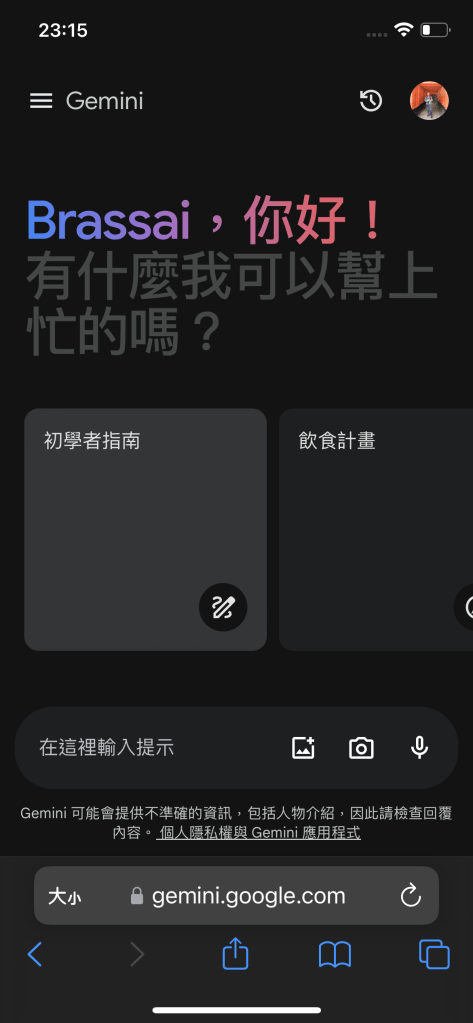
Google Gemini 功能畫面,和 Copilot 和 ChatGPT 大同小異。但有提供 4 個使用指引和情境,包含:初學者指南、飲食計畫、烹飪趨勢和求職技巧等。
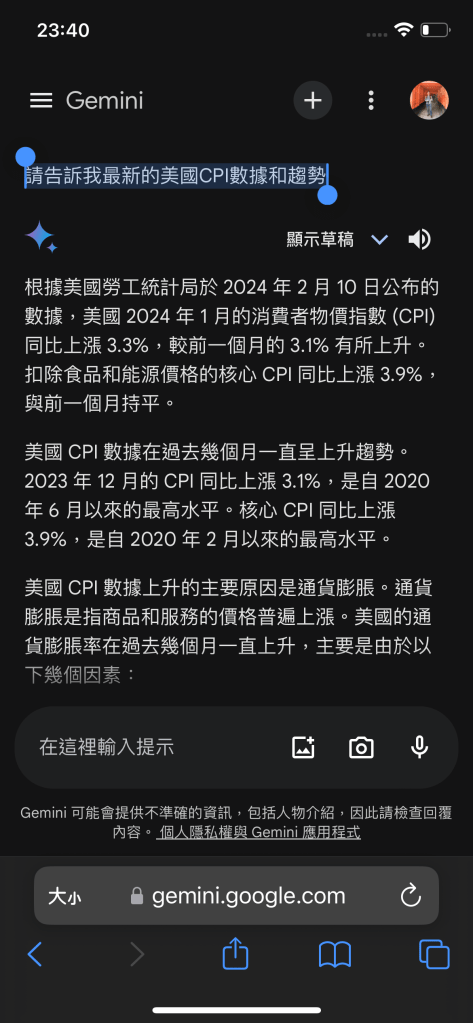
老問題! 回答錯誤的資訊!
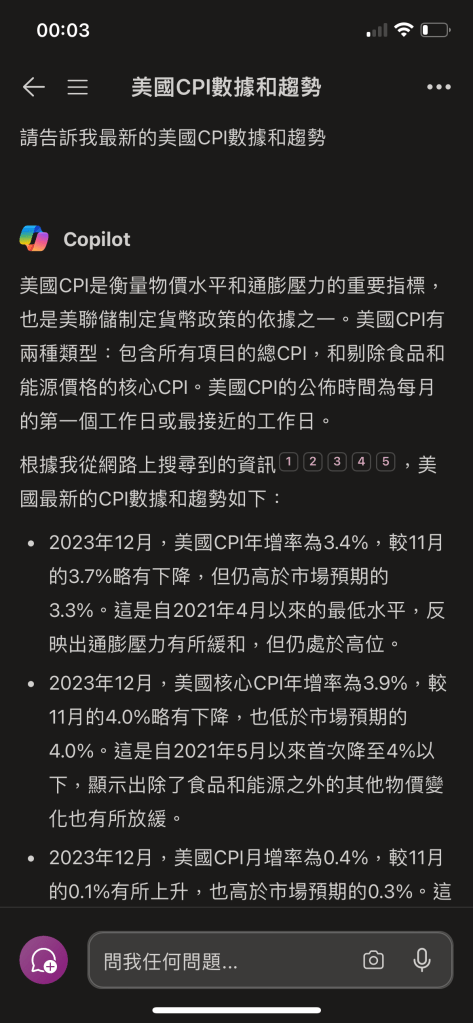
沒有搜索引擎的幫助下,一本正經提供了錯誤的 CPI 數據。
( Google Gemini 在操作介面的最下面 有聲明說可能會提供不準確的資訊)
於 2024年2月10日詢問:
請告訴我最新的美國CPU數據和趨勢
Google Gemini 用有憑有據的口吻說今天美國勞工統計局公布了數據,並提供了CPI分析… 整個回答看起來很有道理,但人家今天根本就沒有公布數據啊…
當下立馬查看美國勞工統計局的網站,其最新消息的日期還停留了兩天前的2月8日。另外,也查詢了多家財經媒體網站都沒有看到2月10日有公布CPI數據。故不知道是哪得到的資訊…

有搜尋引擎加持的 Copilot 就準確得多,除了提供數據及分析外,也明確告知資料來源出處。
 Brassai Kao’s Tech Weave