
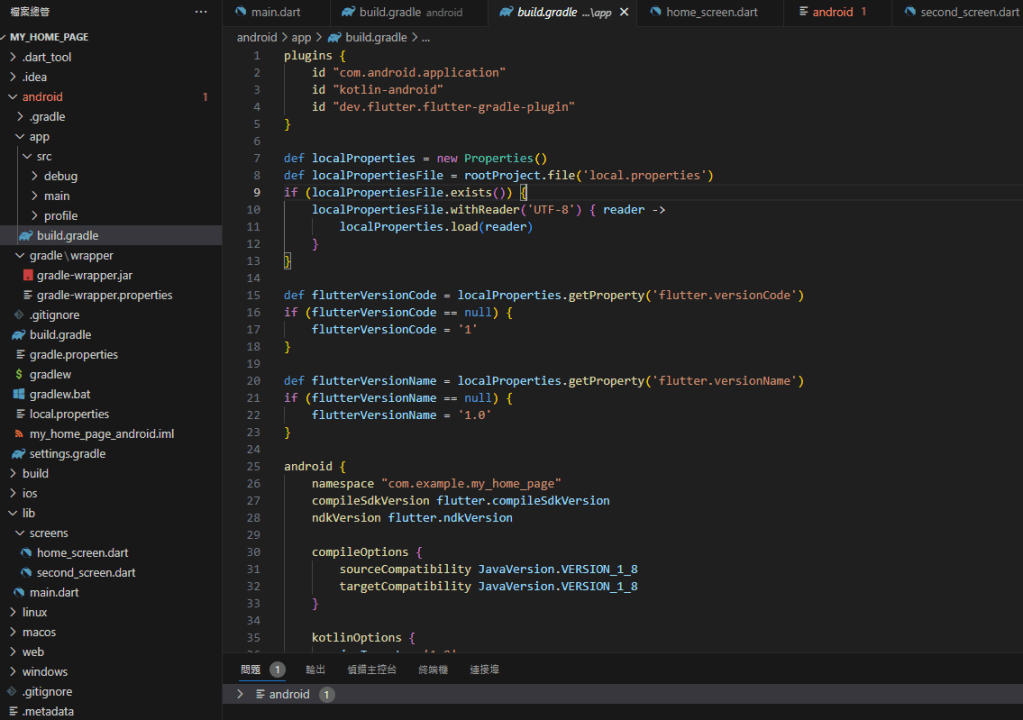
常用外掛 Language Support for Java(TM) by Red Hat 在分析專案中 Java 程式碼的時候,可能會出現 android/app/build.gradle 檔案使用的 Java 版本錯誤的錯誤訊息,即便已經有安裝最新版本的 Oracle Java 1.8 仍然會報錯。
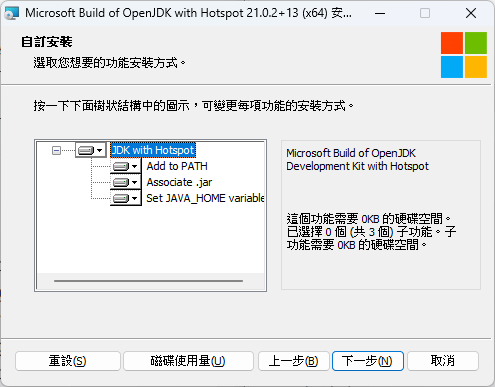
解決方法就是在 Java 版本,只要安裝最新版的 OpenJDK 即可。下載 Microsoft 編譯的 OpenJDK,並在安裝的時候勾選”Set JAVA_HOME variable”,讓其成為預設的 Java 版本。
(不需要移除已經安裝的 Oracle Java)
android/app/build.gradle 的錯誤訊息
Could not run phased build action using connection to Gradle distribution 'https://services.gradle.org/distributions/gradle-7.5-all.zip'. org.gradle.api.ProjectConfigurationException: A problem occurred configuring root project 'android'. A problem occurred configuring root project 'android'. A problem occurred evaluating root project 'android'. A problem occurred configuring project ':app'. Build file 'C:\Documents\FlutterProject\my_home_page\android\app\build.gradle' line: 2 An exception occurred applying plugin request [id: 'com.android.application'] Failed to apply plugin 'com.android.internal.application'. Android Gradle plugin requires Java 11 to run. You are currently using Java 1.8. Your current JDK is located in C:\Program Files\Java\jre-1.8 You can try some of the following options: - changing the IDE settings. - changing the JAVA_HOME environment variable. - changing `org.gradle.java.home` in `gradle.properties`.Java(0) Could not run phased build action using connection to Gradle distribution 'https://services.gradle.org/distributions/gradle-7.5-all.zip'. org.gradle.api.ProjectConfigurationException: A problem occurred configuring root project 'android'. A problem occurred configuring root project 'android'. A problem occurred evaluating root project 'android'. A problem occurred configuring project ':app'. Build file 'C:\Documents\FlutterProject\my_home_page\android\app\build.gradle' line: 2 An exception occurred applying plugin request [id: 'com.android.application'] Failed to apply plugin 'com.android.internal.application'. Android Gradle plugin requires Java 11 to run. You are currently using Java 1.8. Your current JDK is located in C:\Program Files\Java\jre-1.8 You can try some of the following options: - changing the IDE settings. - changing the JAVA_HOME environment variable. - changing `org.gradle.java.home` in `gradle.properties`.Java(0)
 Brassai Kao’s Tech Weave
Leave a comment