
以下以將資料轉成條碼顯示為例,說明如何引用自行開發的.NET程式於報表中。
精神
- 編譯的.NET Framework版本要確認,以.NET 2.0版相容性最好 (SSRS 2014不支援4.0)
- 編譯的DLL檔需放到指定的位置才能正常載入,VS預覽報表用和SSRS的位置都不同
- 在報表中加入參考,並透過VB.NET程式碼來引用
流程
- 將程式用.NET 2.0編譯(Any CPU)成DLL檔
- 依據環境將編譯好的DLL檔放到以下位置:
Visual Studio開發環境
- C:\Program Files (x86)\Microsoft Visual Studio 14.0\Common7\IDE\PrivateAssemblies\
- C:\Program Files (x86)\Microsoft Visual Studio 14.0\Common7\IDE\PublicAssemblies\
SQL Server Report Services
- C:\Program Files\Microsoft SQL Server\MSRS12.MSSQLSERVER\Reporting Services\ReportServer\bin\
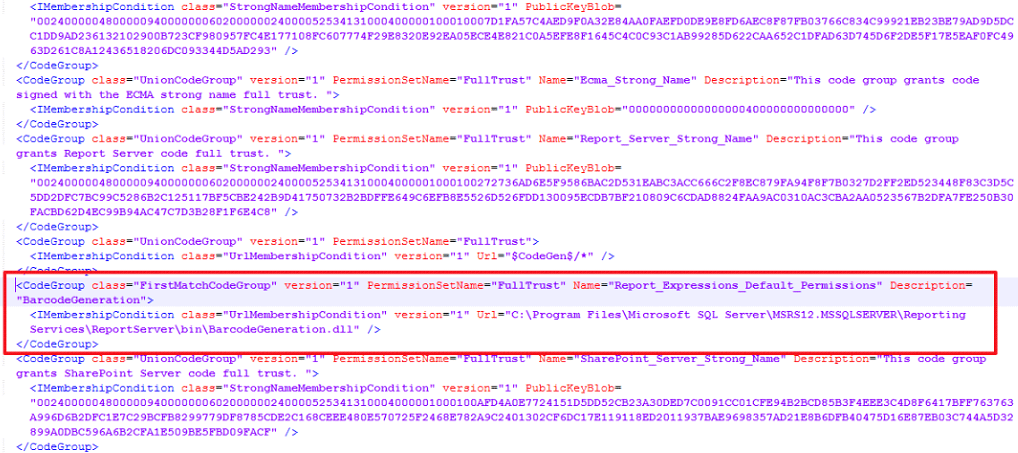
SQL Server Report Services必要時還需調整設定於以下檔案:
- C:\Program Files\Microsoft SQL Server\MSRS12.MSSQLSERVER\Reporting Services\ReportServer\rssrvpolicy.config
3. 在報表屬性中加入參考,因本案例的Code128是透過圖像處理方式來實作,故還需要引用System.Draw .DLL。注意! 不管是自定義的程式還是.NET內建的組件,都要使用2.0版本。
4. 設定類別名稱清單,用途類似C#語法中的 using,可加可不加,不加的話就是程式碼在使用物件時,必須寫出物件完整的名稱。
5. 在程式碼中建置報表用的Function函式,並在函式中引用自訂的物件:
Public Function Code128Image(ByVal datastring As String) As Byte()

Dim sCode As String = String.Empty

Dim oStream As New System.IO.MemoryStream()

Try

Dim c128 As BarcodeGeneration.Code128 = New BarcodeGeneration.Code128()

Dim oBmp As System.Drawing.Bitmap = c128.GetCodeImage(datastring, False)

oBmp.Save(oStream, System.Drawing.Imaging.ImageFormat.Png)

oBmp.Dispose()

Return oStream.ToArray()

Finally

oStream.Dispose()

End Try

End Function
程式碼說明如下:
在報表中使用程式碼中定義的Function函式。本例為透過函式將欄位資料轉成條碼圖片,故針對報表上圖像物件的屬性做設定。
報表中的使用方式:
- 欄位[選取影像來源]選擇”資料庫”、MIME類型選擇無失真壓縮的”image/png”格式
- 欄位[使用此欄位]的運算式: =code.Code128Image(Fields!資產編號.Value)。該運算式便是使用程式碼(code)中的函式(Code128Image)將資料轉成圖像條碼。
 Brassai Kao’s Tech Weave
Leave a comment